


New article
Recently updated
Creating an internal assessment

Who is this article for?
Administrators who need to view and manage Entity process records.
Administrator access to the Universe module
You can create internal assessments for risks and controls to track their current status and maintain a historical record of all assessments.
Creating an assessment
To create an assessment:
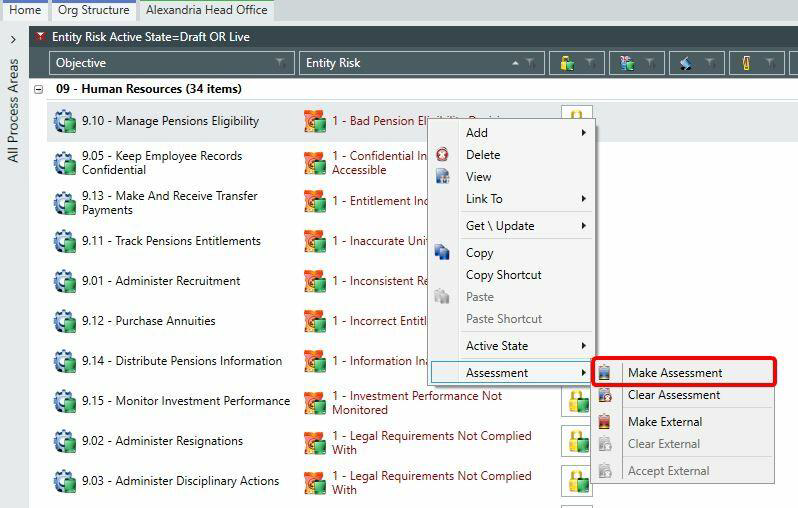
- Right-click on the selected risk or control.
- Select Assessment.
- Select Make Assessment.
- Complete the property fields.
- Save your changes.
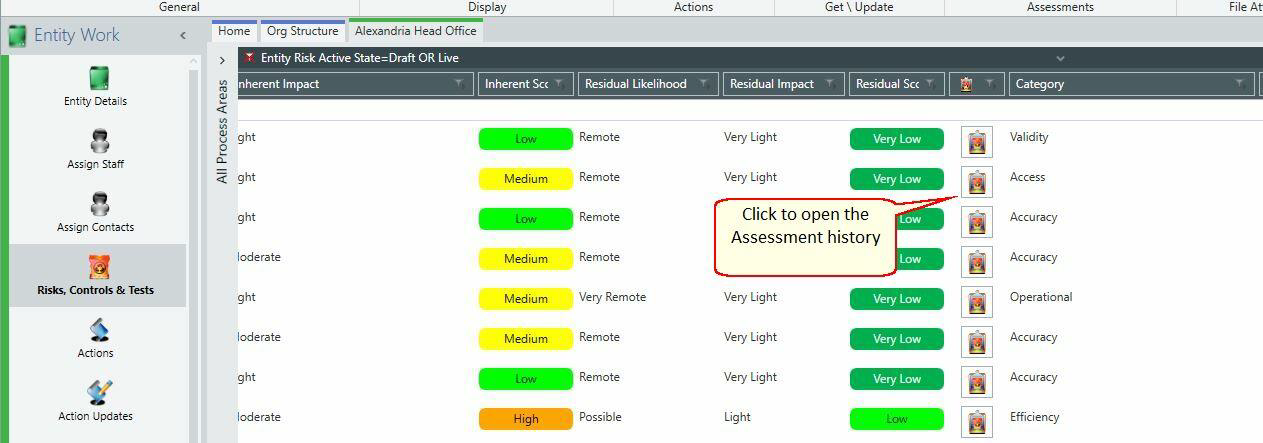
The current assessment displays for the corresponding risk or control. All historic assessments are stored and available for future reference.
Understanding risk assessments
Risk assessments capture both inherent and residual risk levels.
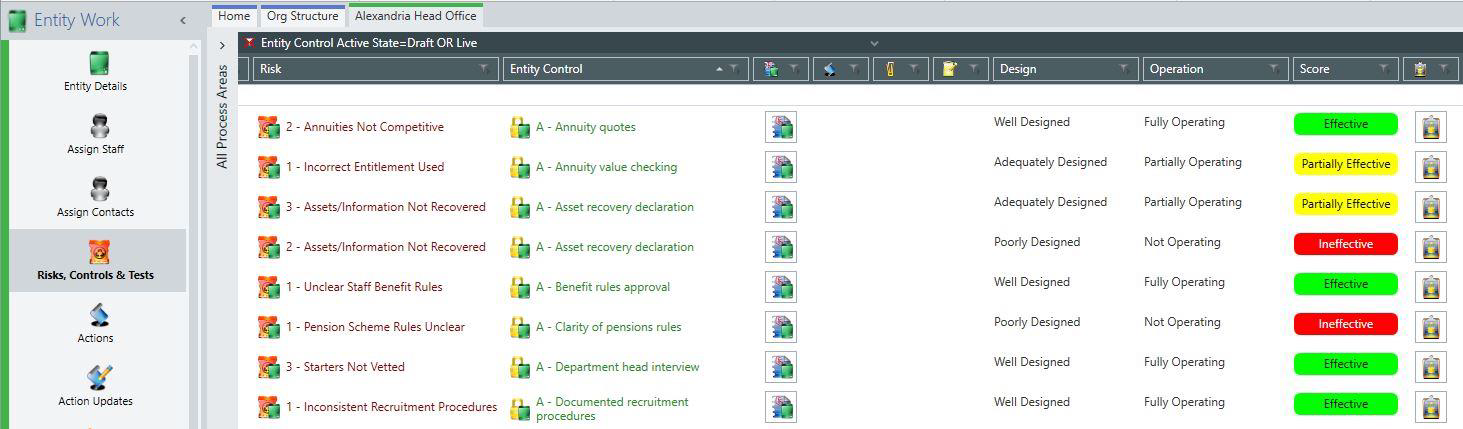
Understanding control assessments
Control assessments evaluate the design and operation of controls.
Assessing multiple records
The Risk Register screens allow you to assess multiple risks and controls simultaneously.
To select multiple records:
- Hold the CTRL key on your keyboard.
- Click each record you want to assess.
Note: If Local Matrices has been enabled in system settings, the following applies:
- The Likelihood, Impact and Score fields all display Local values
- Group assessment fields become available in the column picker (these are set by the Group to Local mappings when the local matrix was created)
- The Group fields are available in the expander bar so you can filter by them
- The Group fields are available in analysis so you can chart by them
- Each Entity could have a different Matrix Configuration, and a warning displays if any bulk assessment operation is not valid
Configuring risk assessment properties
Entity Risk
- Assessment Type (internal or external)
- Name (read only)
- Description (rich text format)
Inherent
- Inherent Likelihood (very remote, remote, possible, probable and very probable)
- Inherent Impact (very light, light, moderate, severe and very severe)
- Inherent Score – linked to risk matrix (low, medium and high)
Residual
- Residual Likelihood (very remote, remote, possible, probable and very probable)
- Residual Impact (very light, light, moderate, severe and very severe)
- Residual Score – linked to risk matrix (low, medium and high)
Assessment
- Category (segmentation)
- Description (rich text format)
Configuring control assessment properties
Entity Control
- Assessment Type (internal or external)
- Name (read only)
- Description (rich text format)
Rating
- Design (poorly, adequately and well designed)
- Operation (not, partially and fully operating)
- Score – linked to control matrix (ineffective, partially effective and effective)
Assessment
- Category (segmentation)
- Description (rich text format)