New article
Recently updated
Creating an external assessment and risk movement

Who is this article for?
Administrators who need to view and manage Entity process records.
Administrator access to the Universe module
External assessments allow you to record evaluations from external sources for risks or controls, which can be accepted and converted into internal assessments.
Creating an external assessment
To create an external assessment:
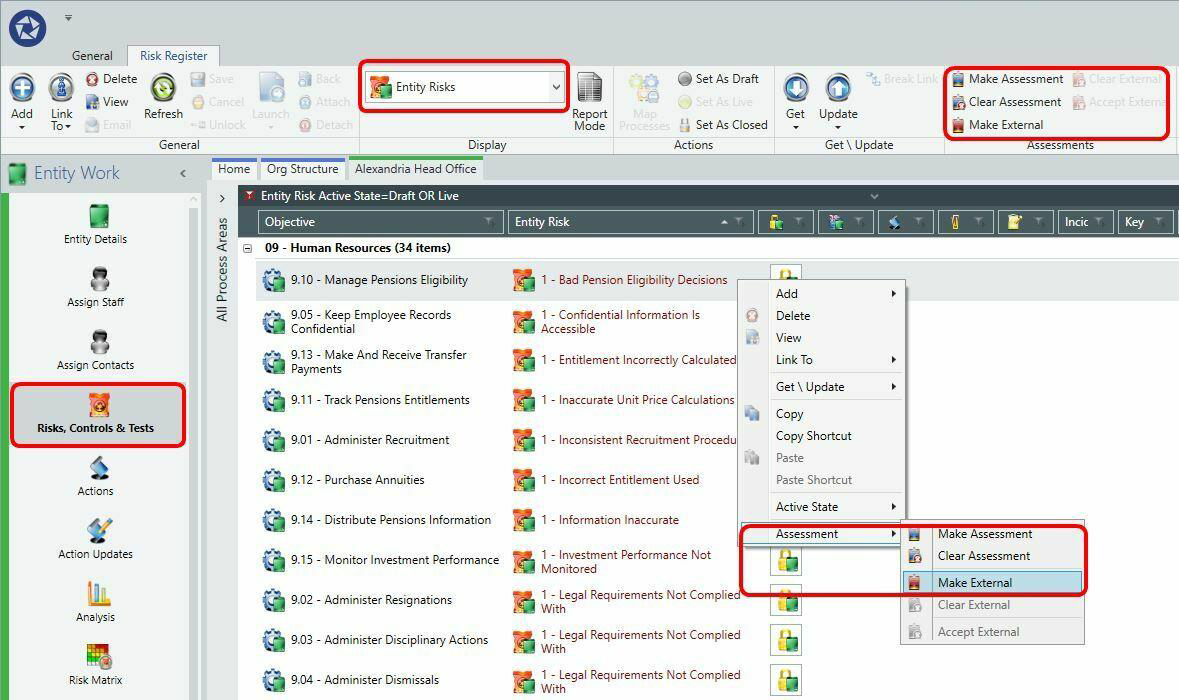
- Right-click on the selected risk or control.
- Select Make External Assessment from the menu.
- Complete the property fields.
- Save your changes.
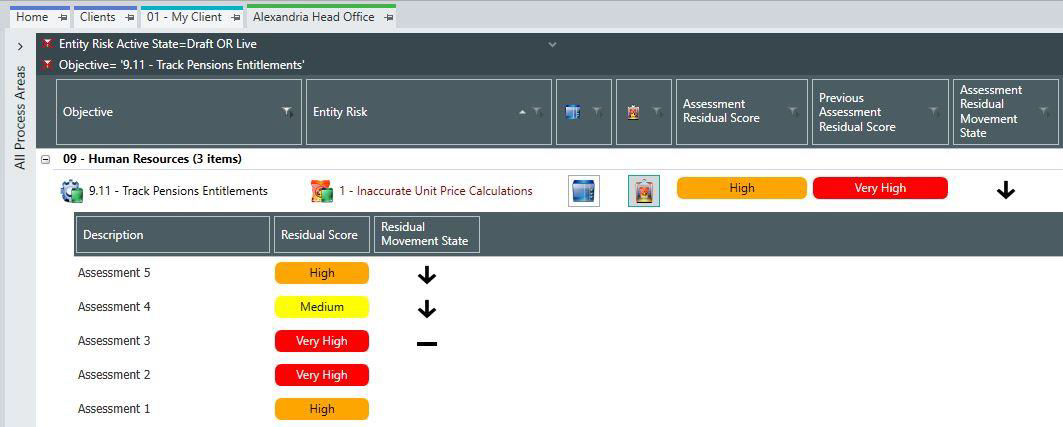
The current assessment displays for the corresponding risk or control. All historic assessments are stored and available for future reference.
You may accept an external assessment, which creates a duplicate as an internal assessment.
Understanding risk movement
Risks can have multiple assessments in their history, but only one is the current assessment at any time. It is possible for none of the assessment history to be current, such as when you clear an assessment.
Each risk has a previous assessment, which is the most recent assessment before its last review. This indicates whether the current assessment is improving or worsening.
Risk movement information is available and rolled up for analysis on the Risk Exposure and Risk Matrix screens. Risk movement is only available at entity level, as audit risks are a snapshot in time.
Note
Taking the following risk as an example: Assessment 1 (High), Assessment 2 (Very High), Review 1, Assessment 3 (Very High), Review 2, Assessment 4 (Medium), Assessment 5 (High). The current assessment is Assessment 5 and the previous assessment is Assessment 3.
Filtering by risk rating and audit coverage
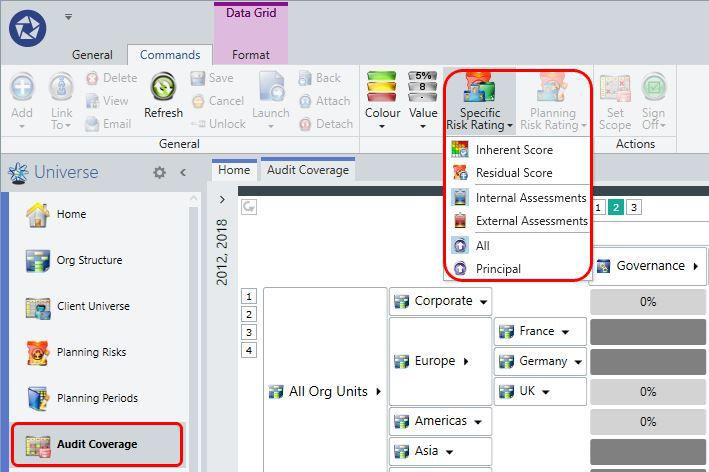
A specific risk rating filter is available on the Audit Coverage screen.
To filter by risk rating:
- Go to the Audit Coverage screen.
- Select the risk rating filter to focus on specific cells, such as principal risks only, based on inherent risk assessments captured in the entity risk registers.
The displayed audit coverage percentages and colours automatically restate based on the selected risk rating.
Some entity risks may be irrelevant for audit coverage as they include detailed operational risks.
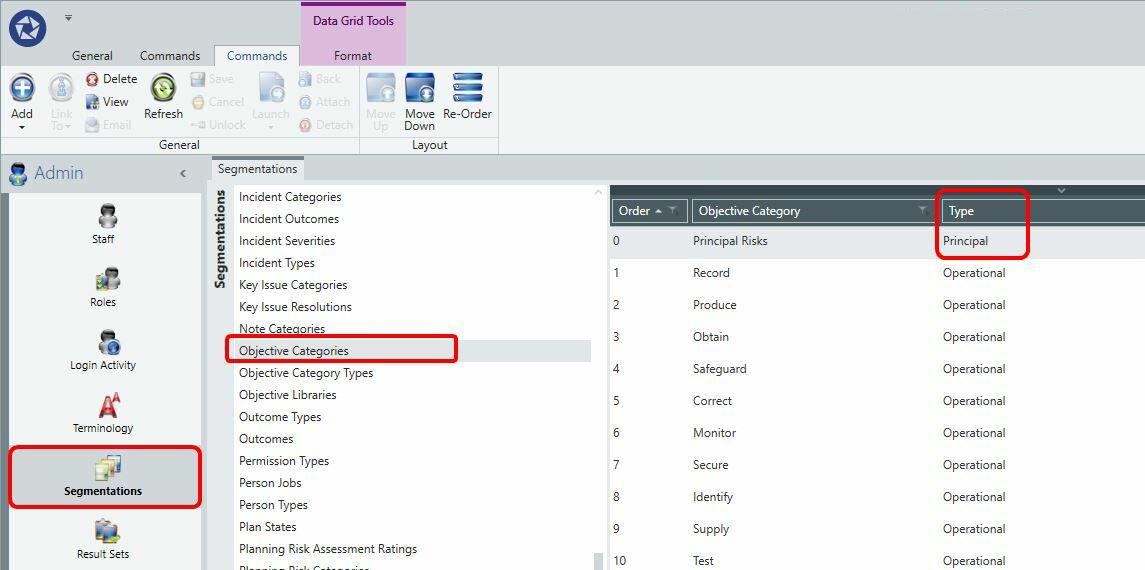
An Objective Type property has been added to objective categories. Only risks linked to a principal objective category are included when filtering by risk ratings in the Audit Coverage screen.