


New article
Recently updated
Printing on-screen data

Who is this article for?who need to print data.
No special access or permissions are required.
The print option provides a quick way to output on-screen data from a selected window pane, typically used with Views.
Printing data
To print on-screen data:
- Enter the relevant screen and apply a view or filters and groupings as required.
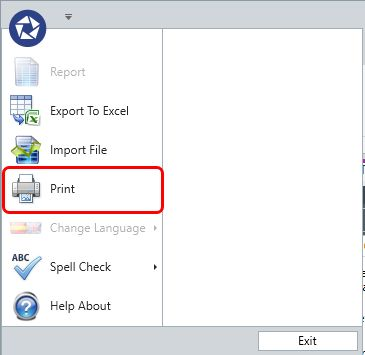
- Select Print from the Pentana icon menu to display all on-screen data as a print preview.
- Manipulate the appearance as needed.
- Select Print.
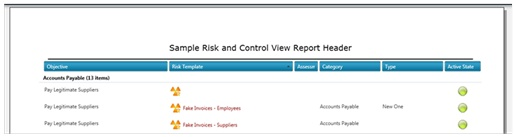
Note: If a View is used, its Report Title appears as the Title for the on-screen data. You can also repeat headers on all pages. The report footer contains the date and page number. It is not possible to set a default header for screens that do not allow views.
Configuring page setup

To configure page setup options:
- Margins - Select the margin size from the margin pick list by clicking the margins arrow in the ribbon
- Orientation - Choose portrait or landscape
- Size - Change the page size (for example, A4 or A3)
Using zoom options

To adjust the view:
- Zoom in or out - Select the zoom in or zoom out options
- Split the screen - Select the two pages option