


New article
Recently updated
Undoing check out for offline audits

Who is this article for?Who needs to know about check out offline changes.
Audit level permissions are required.
Use Undo Check Out to clear an audit from the offline database when you have an offline audit as read only or where admin undo check out has been used.
Accessing undo check out
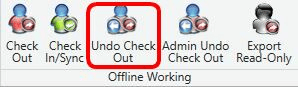
To access the undo check out function:
- Locate the audit in your offline database.
- Select Undo Check Out from the available options.
Undoing the entire audit
To undo check out for the complete audit:
- Select the option to discard changes for the entire audit.

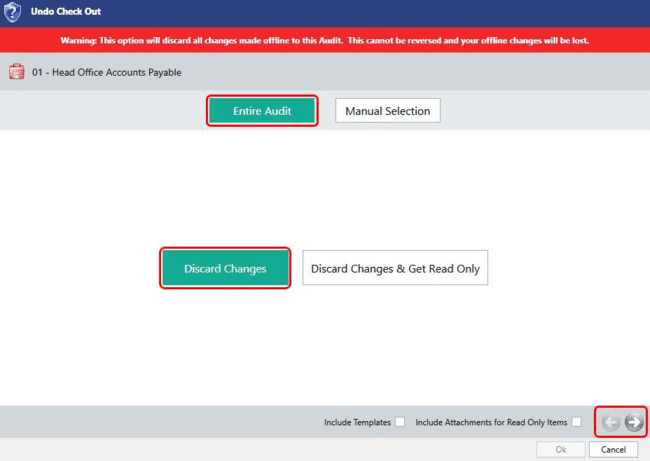
- Use the arrow to proceed.
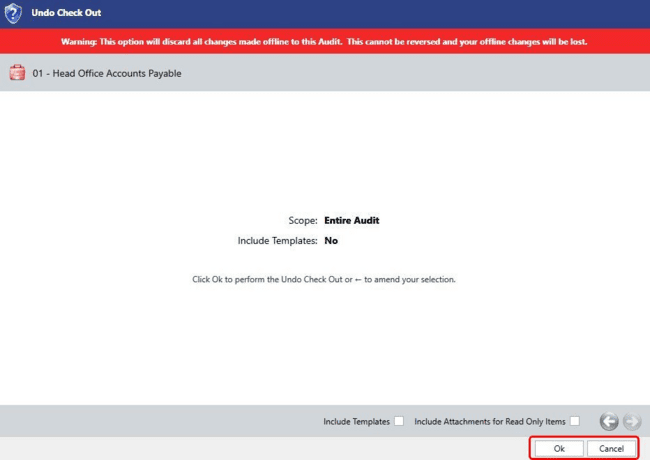
- Click OK on the confirmation screen to undo the check out.
Undoing by manual selection
To undo specific parts of an audit:
- Navigate to the manual selection option.

- Select the items you want to undo by Work Plans, Objectives, or Questionnaires.
Note: Selecting a work plan automatically selects all attached steps.
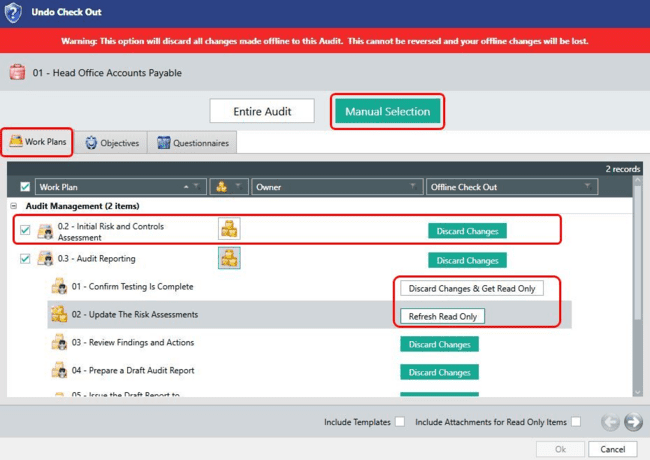
- Toggle between Discard Changes and Refresh Read Only for each record by clicking on it.
- Repeat the selection process for the Objectives and Questionnaires tabs.
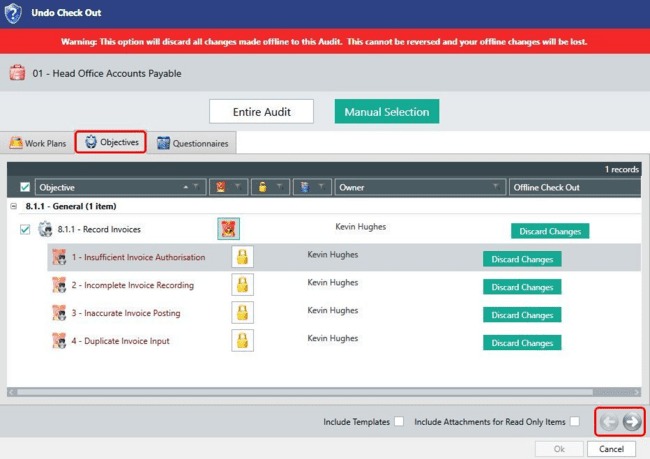
- Use the arrow on the bottom right to proceed to the confirmation screen.
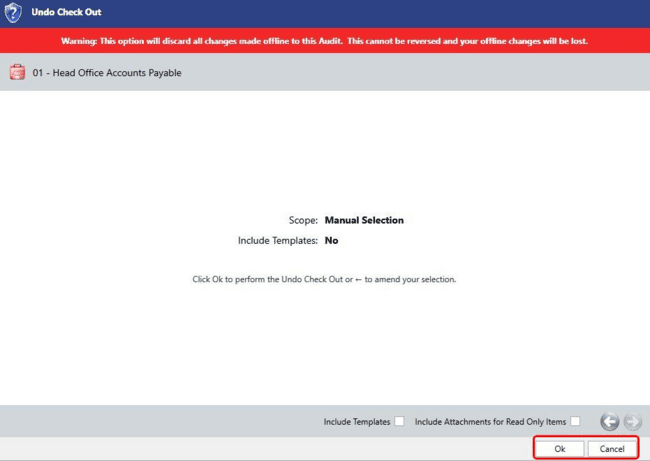
- Click OK to perform the undo check out, or use the back arrow to amend your selection or cancel.