


New article
Recently updated
Using admin undo check out

Who is this article for?Who needs to know about undo check out.
Audit level permissions are required.
Administrators can override a user's check out to release an audit back to the server, though this requires careful communication with the affected user.
Understanding admin undo check out
An administrator can override a check out using this option. It sets the audit back to being not checked out, but does not remove the local copy. The user who originally checked out the audit will not be allowed to check it back in to the server, but could continue to work on it locally. It is important, therefore, that the user who checked out the audit is notified of the administrator undo.
Note: Admin Undo Check Out is available to users who have been granted the Manage Offline Check Out permission within their Application role.
Performing an admin undo check out
To perform an admin undo check out:
- Select the audit you want to perform the admin undo check out.
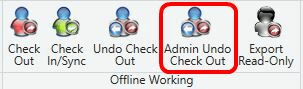
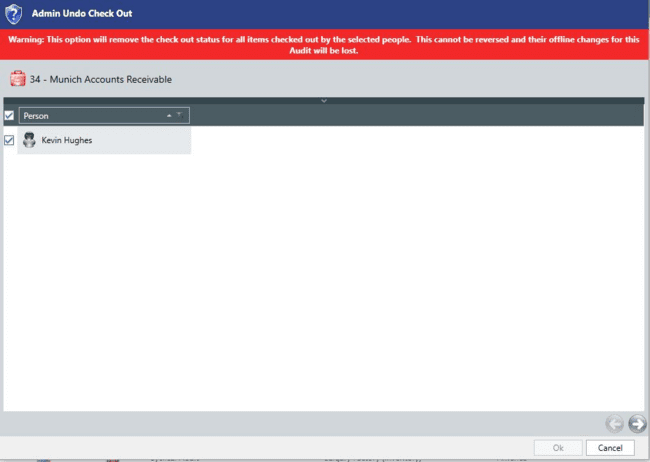
- Select the required users from the list.
- Click the arrow in the bottom corner to display the confirmation screen.
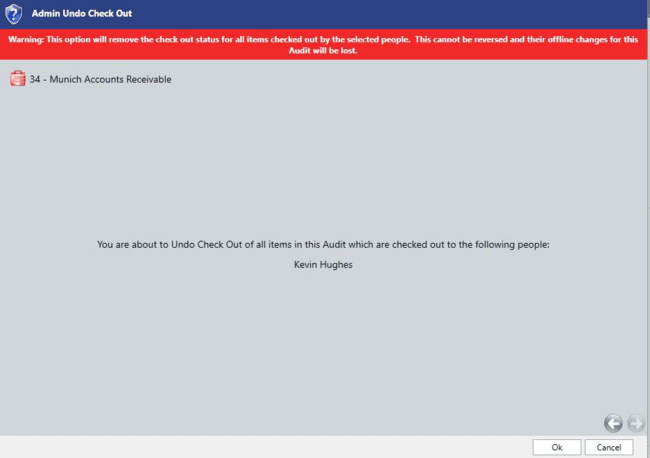
- Click OK to perform the admin undo check out.
Important: You must notify the affected users that they cannot check in their changes. A user will still have to undo check out to clear it from their offline database.