New article
Recently updated
Managing department-based libraries

Who is this article for?
Users who want to know about department-based libraries.
No elevated permissions are required.
The system allows you to manage libraries at both application and department levels, providing flexible control over who can access and modify library content across different departments.
Available permissions
Application-level library permissions
The following permissions manage the Steps and ORCT Libraries:
- Launch Steps Library
- Manage Library Steps
- Launch Risks, Controls and Tests Library
- Manage Library ORCTs
- Assess Library Risk and Controls
These permissions are all Deny/Grant, with permissions typically granted to the Library Administrator Role.
Department-level read permissions
The following permissions have a three-way permission value of either None, Department or All (default):
- Read Work Plan Templates
- Read Objective Templates
- Read Finding Templates
- Read Questionnaires
- Read Attachments Templates
- Read Audit Report Templates
- Read Report Templates
Adding department libraries
To add libraries across departments, you need to complete the Department Library property field for:
- Work Plan Templates
- Objectives Templates
- Questionnaires
- Findings
- Attachments
- Audit Reports
- Reports
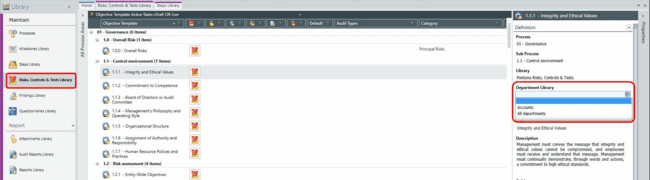
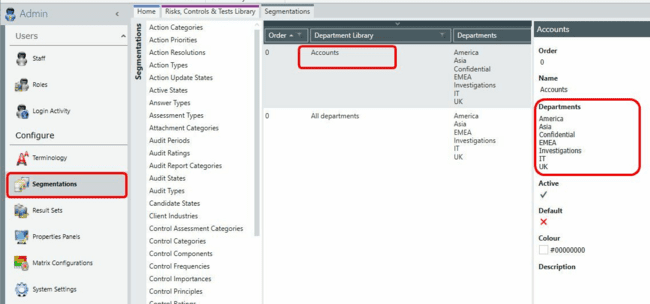
The Department Library is a segmentation that provides a direct link between a person's allocated department and the library.