New article
Recently updated
Converting staff members to contacts

Who is this article for?
Administrators who need to convert staff members to contacts.
Administrator permissions are required.
You can convert contacts to staff members when they leave a full audit team to become a business user, and vice versa.
Conversion requirements
The Convert Staff to Contact option becomes available when the Convert Staff to Contact permission is set to Grant.
The following conditions must be met to use this feature:
- The software must be configured for single client
- The optional Retain software must be disabled
Note
This option is available to perform in bulk, and all attributes (including User Type, Org Unit and Roles) will be kept the same.
Important
The conversion will be prevented if it results in exceeding the Standard Staff licence limit.
Converting staff to contacts
To convert staff members to contacts:
- Go to Staff.
- Right-click a staff member.
- Click Convert to Contact.

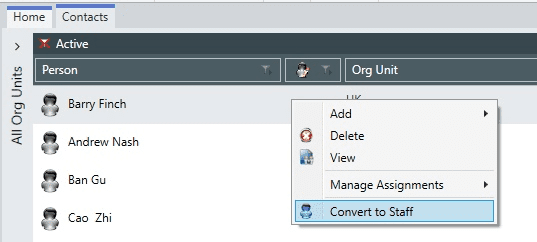
Converting contacts to staff
To convert contacts to staff members:
- Go to Contacts.
- Right-click a contact.
- Click Convert to Staff.