


New article
Recently updated
Approving time sheets

Who is this article for?
Administrators needing to approve time sheets.
Administrator permissions are required.
The Time Sheets screen allows managers to view, review, and approve time sheets for auditors in their team.
Time sheet lifecycle
Time sheets progress through three stages independently of each other: Open, Completed, and Approved. Managers can approve time sheets once auditors mark them as Completed, or follow up with auditors if they remain incomplete.
Filtering time sheets
The owner pre-filter allows you to view different sets of time sheets:
- All - displays everyone's time sheets
- Mine - displays only your time sheets
- My Team - displays time sheets for everyone you manage, either directly or indirectly
Reviewing time sheet details
The screen is split horizontally to display the selected time sheet's details. This layout enables you to clearly review and edit information, including comments, before approving.
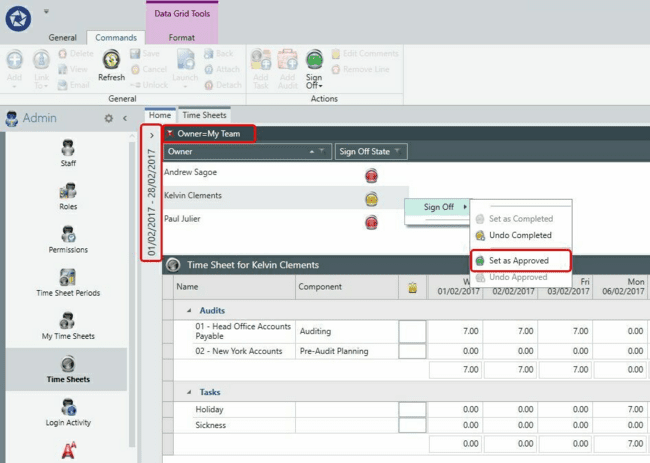
Approving time sheets
You can approve time sheets or reset them to the Open status. This can be done individually or in bulk using multi-select.