


New article
Recently updated
Customising property panels

Who is this article for?
Administrators needing to customise properties panels.
Administrator permissions are required.
The property grid designer allows you to reorganise and customise standard fields within property panels to meet your requirements.
Customising property panels
When first configuring the system, you may want to move or hide standard fields within property panels. The property grid designer provides flexibility to meet your requirements.
Important
Only system administrators should make changes using this feature. Once saved, changes automatically apply to the application with no ability to roll back or restore the default layout. Changes are automatically replicated into the web user interface.
You can:
- Re-order fields within a section
- Re-order sections (such as Definition, Policy, Execution)
- Collapse sections
- Show or hide fields
- Hide fields from staff or contacts
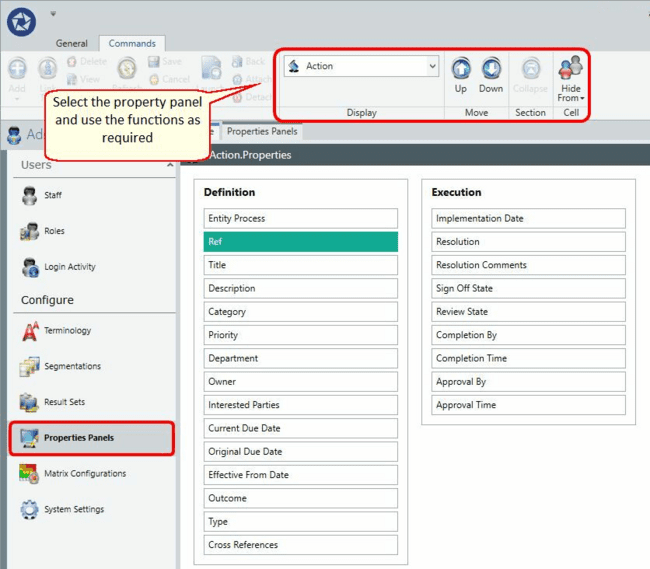
Selecting a property panel
To select the required property panel:
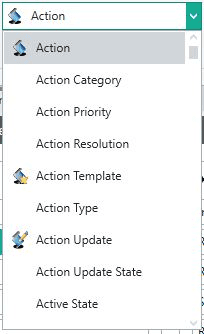
- Use the display toolbar to select the required properties panel.
- Ensure you select the correct panel, as changes cannot be rolled back.
The icons help you differentiate between the required objective and other segmentation definitions.
Moving fields up and down
To reposition a field:
- Select the field you want to move.
- Use the Up and Down buttons to move it to the required position.

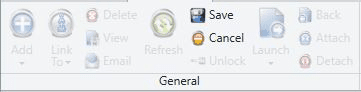
- Use the Cancel button if required to reset the position.
Collapsing a section
To collapse a section:
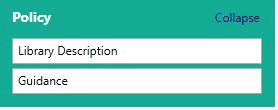
- Select the entire section (the background turns green to signify selection).
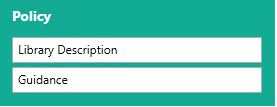
- Toggle the collapse option to automatically collapse the section within the property panel.
Hiding fields from users
To hide a field from specific users:
- Select the field you want to hide.
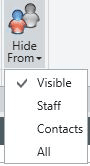
- Use the Hide From options to choose from four visibility settings:
- Make the field available to everyone
- Hide the field from staff
- Hide the field from contacts
- Hide the field from everyone
Important
Do not hide mandatory fields. You will not be able to save a record as it will require a value to be added against the hidden field.
Limitations
The property grid designer does not allow you to:
- Add new custom fields or segmentations
- Move fields between sections
- Change mandatory rules
- Roll back changes
- Restore the default layout
These require specific customisations to be developed. Contact your Ideagen account manager to discuss these requirements further.