New article
Recently updated
Configuring matrix settings for multiple risk impacts

Who is this article for?
Administrators needing to configure matrix settings.
Administrator permissions are required.
Matrix configurations enable you to define multiple risk impacts, each with its own rating scale and descriptive guidance. The number of Multiple Risk Impacts is first configured within system settings.
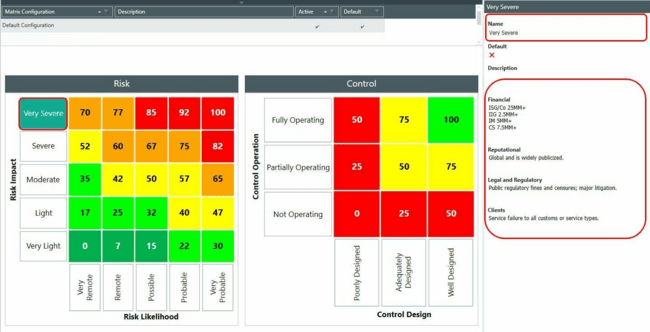
Setting up risk impact labels and rating scales
Risk Impact labels appear on the left-hand side of the matrix. Each impact has a Rating Scale (for example, Very Light, Light) that you select from a drop-down list, and a Description that helps users understand the impact when completing risk assessments.
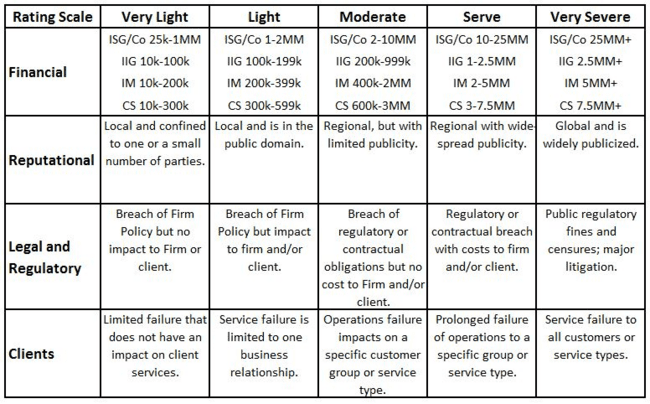
In this example, the configuration includes:
- Four different impacts (Financial, Reputational, Legal and Regulatory, and Clients)
- The same rating scale for each impact
- A different description for each combination of impact and rating
Viewing guidance during risk assessment
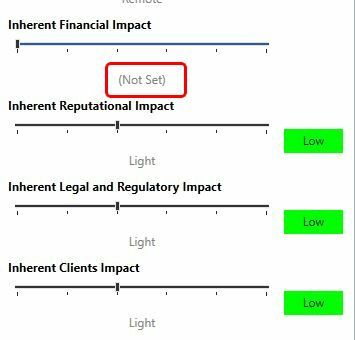
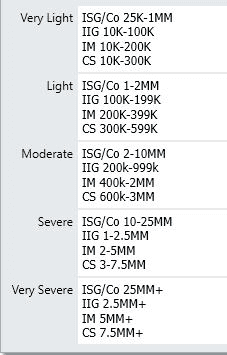
When assessing a Risk Impact, users can view the guidance by hovering the mouse over the Rating Scale.